
Telegram Tips(@telegramtips)是 TGbox 收錄的 Telegram 軟件綜合頻道,目前有 10,960,826 名訂閱者,創建於 2021年1月11日,活躍度為低,內容以英文為主。
頻道簡介與描述自動翻譯
Telegram 代表自由和隱私,擁有許多易於使用的功能。
本頁有簡體中文版。
切換到簡體中文This page is available in English.
Switch to EnglishTelegram Tips@telegramtips
直達Telegram Tips(@telegramtips)是 TGbox 收錄的 Telegram 軟件綜合頻道,目前有 10,960,826 名訂閱者,創建於 2021年1月11日,活躍度為低,內容以英文為主。
Telegram 代表自由和隱私,擁有許多易於使用的功能。
成員數據正在積累,過幾天再來看看。
Member Tags. Members in group chats can add a tag next to their name – to highlight roles and show their interests. Admins choose whether group members are able to set their own tags or if only admins can assign them. The tags of group admins have a different color from members. To allow members to set their tags in your group, go to Group Settings > Permissions and turn on 'Edit Own Tags'.

⭐️ Disable Sharing in Private Chats. Subscribers of Telegram Premium can disable sharing in any 1-on-1 chat. This restricts forwarding or copying messages and prevents screenshots or saving media from the chat. To disable sharing in a chat, open a user's profile, tap ➕ or ➕ and select 'Disable Sharing'.

Captions for GIFs. When selecting a GIF in the GIF panel, you can add a caption directly to it, and send it all as one message. GIFs can also be edited before sending – to add text, drawings and emoji or to trim the GIF and change its length. To add a caption or edit a GIF, press and hold it in the panel and select 'Edit'.

Date Formatting. The 'Date' formatting option lets you set a specific date and time to add events to a calendar or set a reminder. Date formatting automatically adapts to each recipient's local date and time.

Log In With Telegram. You can sign up and log in to apps and websites using your Telegram account in just a few taps. This method lets you share your number for easy verification – and you can allow messages from services for convenient notifications. Developers can read our detailed guide for more information.

AI Text Editor. The message bar has a built-in editor that can instantly fix grammar, translate your text or rewrite it in several styles: 🤝 Formal 🎯 Short 🍖 Tribal 🗿 Zen 🕯 Biblical 💼 Corp The text editor is 100% private and optional – powered by the Cocoon AI Network. To open the editor, tap the ✨ icon that appears after typing more than 3 lines of text.

Polls. In groups or channels, you can create polls to make decisions or get community feedback. Polls allow you to: • Attach photos, videos, stickers and locations to each option • Set a specific duration • Create quizzes with a correct answer You can customize your poll with several settings to: • Show who voted for each option • Select multiple options when voting • Allow users to add new options • Let users change their vote • Shuffle the order of options • Hide the poll results until it en…

Live and Motion Photos. Android and iOS users can send animated images from their gallery – which are viewable in every app. Tap the ⭕️ Live/Motion icon in the media editor and choose one of 3 playback styles: • Live plays the photo once • Loop plays continuously • Bounce plays forward and reverse

Managed Bots. Anyone can utilize AI bots to easily develop, launch and manage their own bot – with no coding required. More information for developers is available here.

Guest Bots. Telegram bots can be accessed directly in groups and 1-on-1 chats to answer questions and perform tasks. To mention a bot that supports this feature, simply put its @username in your message. Guest Bots only have access to the specific message they are tagged in and any replies to it. These bots cannot see which users are in the chat. To enable Guest Mode, bot developers can use this guide.
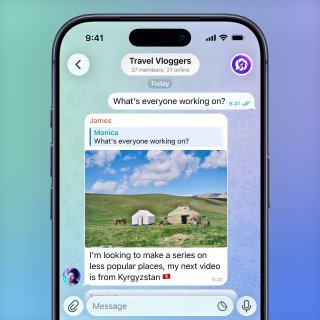
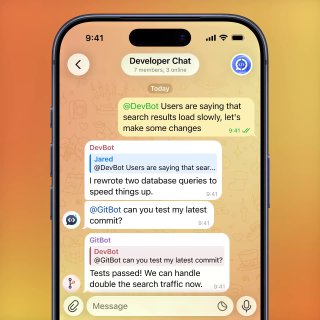
Bot-to-Bot Communication. Bots are able to respond to other bots, in addition to user commands. AI enthusiasts can utilize this to create custom workflows with autonomous agents. More information for developers is available here.
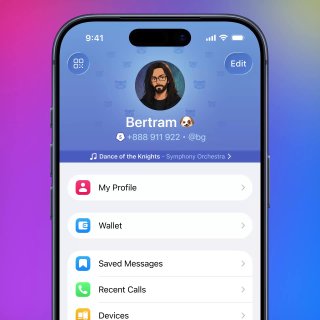
Chat Automation in Profiles. Every Telegram user can connect a bot to their profile – and let it respond to messages on their behalf. You control your bot secretary with granular permissions – such as only replying to new chats or non-contacts. To connect a bot to your profile, go to Settings > Edit > Chat Automation.
Threads and Streaming Text for Bots. Telegram bots and AI agents support threaded conversations to manage multiple topics in parallel. Bots can also stream text as it is generated – to send responses in real time.
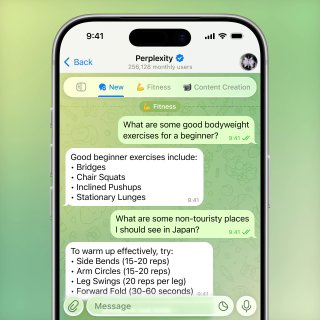
Custom AI Styles. The text editor allows anyone to use their own prompts to build unique styles. Each custom style has a shareable link so others users can preview the style and add it to their editor. To build your own AI Style, tap the ➕ 'Create' button in the 'Style' tab of the editor.

Watch Apps. Telegram is also available on Apple and Android smartwatches. The watch apps allow you to send messages, manage your chats and more without your phone nearby.

Rich Text Formatting for Bots. Telegram bots and AI agents have access to nearly 100 text formats – like headers, tables, math or code formatting and more. Information for developers is available here.

AI Admins for Groups. Groups can add AI bots as admins to process join requests with unique features like captcha support.

⭐️ Rich Text Editor. You can create articles and long posts of over 32,000 characters in a visual editor that supports dozens of formatting options like tables, lists, inline media and more. The editor also allows you to generate text and formatting using privacy-conscious AI tools.

Telegram Communities. Several groups, channels and bots can be linked together in a single community, where members can view and join other chats instantly. Admins in communities have granular privacy controls that allow them to hide certain chats and control whether members can add new chats or only admins. Communities save space in your chat list — you can toggle whether it appears as separate chats or one chat that expands when opened.

Welcome Messages. Group and channel owners can create messages to greet new members and give them extra info. Welcome messages are only visible to each new member – and can include media, rich formatting and more. To add a welcome message in your group or channel, open its profile and select Edit > Welcome Message.

廣播電臺 廣播電臺 廣播電臺 廣播電臺 廣播電臺 廣播電臺
電報是自由和隱私的同義詞,具有許多易於使用的功能。
Telegram是自由,尊重私人生活的同義詞,並提供眾多功能便利。
電報是自由和隱私的同義詞,有各種易於使用的功能。
廣播電臺是自由、私人、有趣、有趣、有趣的電臺。
電報是一個關於私人生活的想法,有許多易於使用的功能。
Bitget 成立於2018年,是世界領先的加密貨幣交易平臺和 Web 3 公司。Bitget為全球100多個國家和地區提供服務,通過領先的跟單服務等多種交易解決方案,幫助超2500萬用戶實現交易“智”變。 網址: https://www.bitget.site/zh-CN/ www.bitget.com https://www.bitgetapp.com/zh-CN/ 人工客服:@BitgetCNSupportbot
歡迎來到聚會! 善待 不要邀請機器人或發佈廣告,NSFW或版權內容 保持英語對話,讓每個人都可以參與 ⚠️ 將媒體帖子如GIF和貼紙保持在最小限度上 更多信息: t.me/PublicTestGroup/13945135
歡迎來博客聊天! 善待 請使用英語,讓每個人都能參與 保持博客開發的主題 ⚠️ 將媒體帖子如GIF和貼紙保持在最小限度上 ❌ 添加/使用博客在這裡 = BAN 更多信息 - https://t.me/BotTalk/608888
Stash 官方討論群組。 Stash 是 Clash 規則在 iOS 平臺的最佳選擇。 Stash macOS 下載 https://stash.ws Stash AppleStore https://apps.apple.com/app/stash/id1596063349 Stash 用戶手冊 https://stash.wiki 訂閱頻道 @StashFeed
此組旨在討論電報舉辦的編碼和設計比賽,請使用英語. 請參見 @contest 以獲取信息. 對於俄語的討論,請使用 @contests_ru https://t.me/contests/51172
暫無簡介


